
Teamup Ticker
Make sure you have the right access on Teamup app
If you're using the Teamup app and having issues with seeing calendars, events, or being able to edit events as expected, check that you're using the right access.
You may have opened the calendar on the app with a different/outdated calendar link which doesn't give you the access you should have.
For example, perhaps you're a calendar administrator. You might have created a secure read-only link to embed the calendar, and saved that link to your dashboard. If you open the Teamup app and open the calendar through that link instead of your user access, you'll only see the sub-calendars included in the embedding link, and won't be able to make any changes to event.
Here's how to check:
- Open the Teamup app.
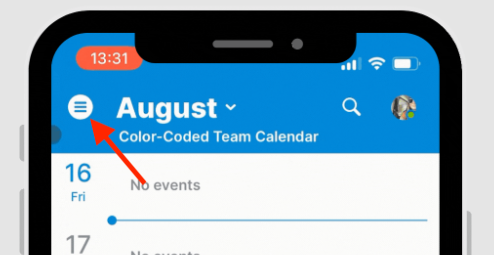
- Tap the menu in the top left to open the left sidebar:
- Look below the calendar title. Do you see your avatar and user name?
- Here's an example of an administrator's access on the app:
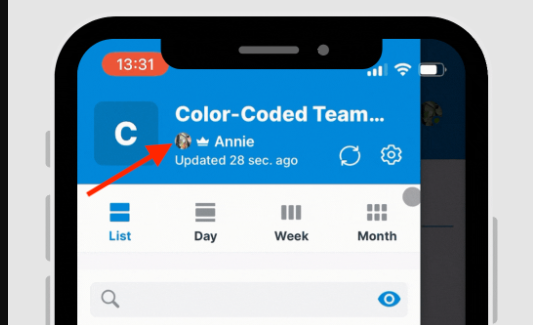
There's a user avatar, a crown icon (indicated administrator access), and the user's name.
If you don't see your avatar and user name, you may be opening the calendar on your app through a link rather than your user account.
- Swipe or tap to open the right sidebar, then tap Dashboard.
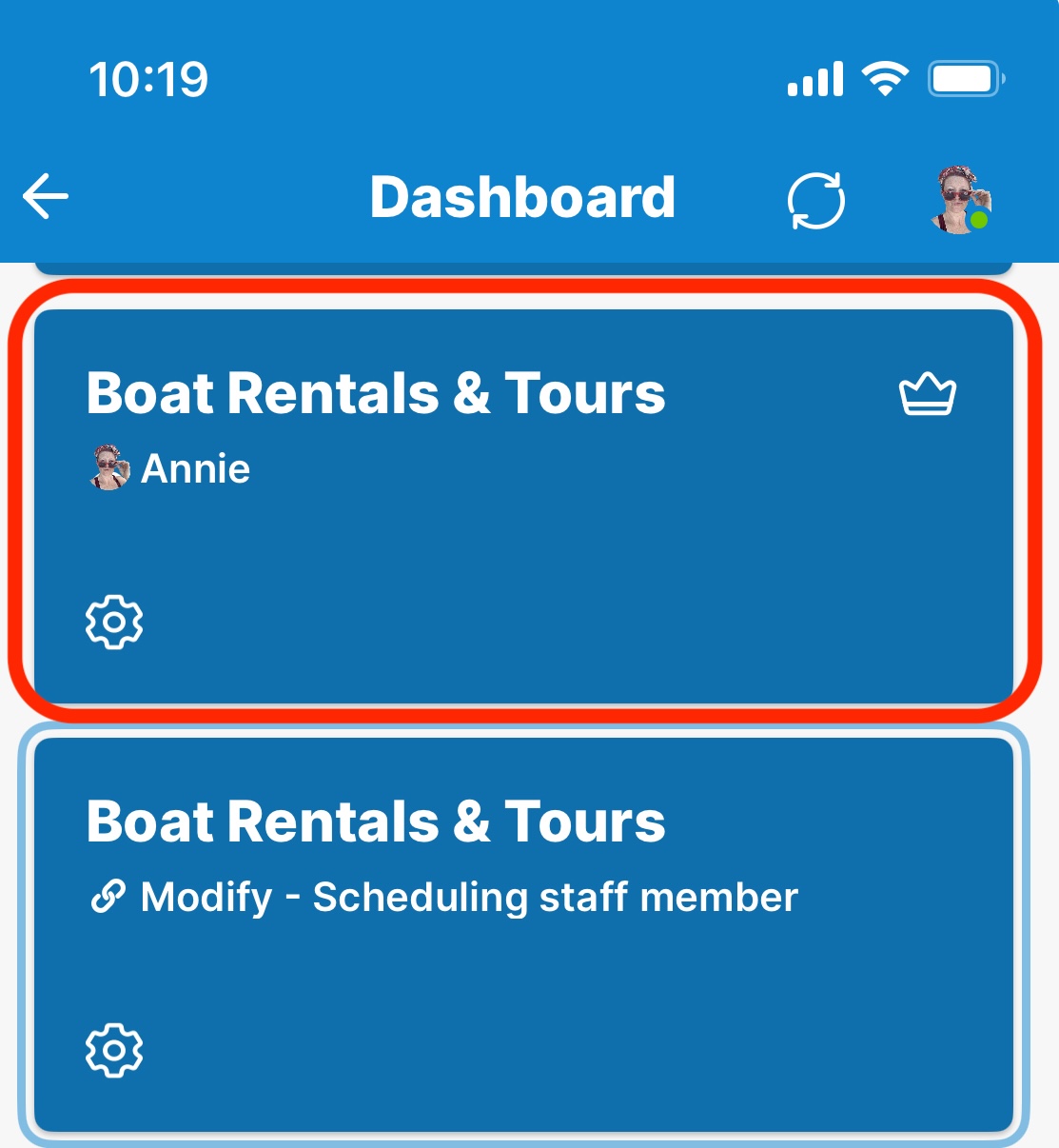
- Find the calendar tile with your avatar and user name. If you're the administrator, you should also see a crown icon. Tap that tile to open the calendar with your correct user access.
Note: Even with administrator access, you won't find the full calendar settings in the app. Those are only accessible when using Teamup in a browser.