
Teamup Ticker
Calendar Setup Tip: Start with a clear purpose
Tue Aug 11, 2026
.Ticker > Tips / Support Nuggets
A few minutes of planning before creating a calendar can save a lot of time later. Teamup is flexible enough to support many different workflows, but the best setup depends on how the calendar will actually be used.
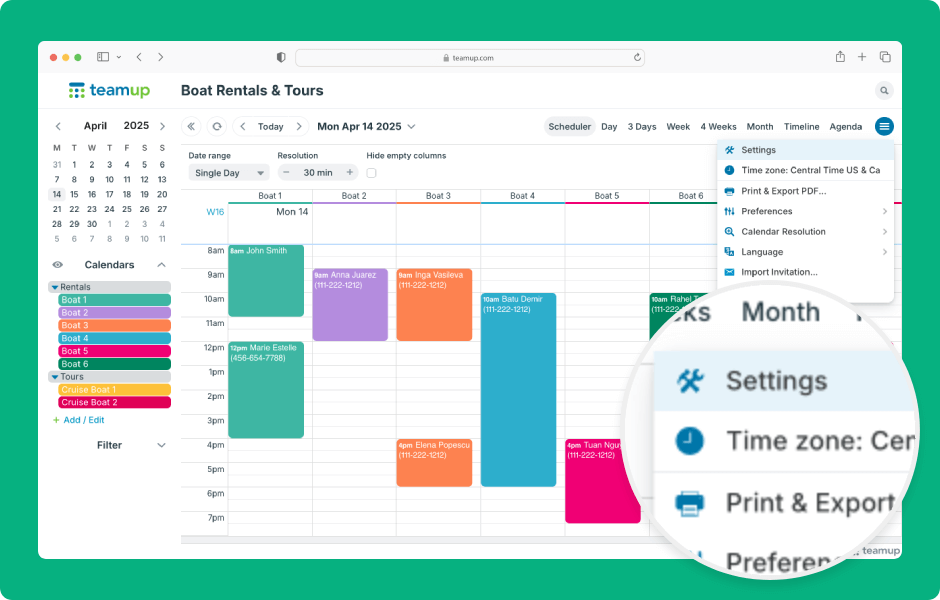 ▶️ Interactive demo: Access and adjust calendar settings
Before creating calendars, sub-calendars, and custom fields, think about the people who will use the calendar and the work they’ll be doing. A calendar designed around the team’s workflow is easier to use, easier to maintain, and much more likely to be adopted.
A few simple planning steps can help:
- Define the calendar’s primary purpose. Consider what team members need to accomplish when using the calendar: Manage availability, organize and collaborate, schedule work, make information visible, share events, stay synced on the field. Let that primary goal guide your setup.
- Map your workflow. Think through the typical process from start to finish. What information needs to be captured? Who creates events? Who updates them? Who only needs to view them? Designing around your workflow helps determine the right calendar structure and permissions.
- Experiment before finalizing. Explore different layouts and ideas using Teamup’s live demo calendars. Each demo is fully functional, so you can test different structures, workflows, and features before building your own calendar.
Get more help with calendar setup in our
🔒 Essential Guides for Calendar Admins
- How to Set Up Your Calendar Securely
- What You Need to Know About Administrator Access
- Share a Calendar Securely with Customized Access Permissions
- When and How to Safely Use Shareable Calendar Links
- Organize and Color-Code with Sub-Calendars
- Build an Organized but Flexible Calendar Structure
- ▶️ Access and Adjust Calendar Settings
- ▶️ Create and Organize Sub-Calendars
- ▶️ Add a Calendar User
setup, setting up, getting started, admin, administrator, structure, new calendar, organize