
Teamup Ticker
Duplicate a Teamup Calendar and keep repeating events intact
Fri Feb 20, 2026
.Ticker > Tips / Support Nuggets
If you wish to set up a new Teamup calendar that's similar to one you already have, with the same repeating events "carried over" into the new calendar, here's how:
Export the repeating events
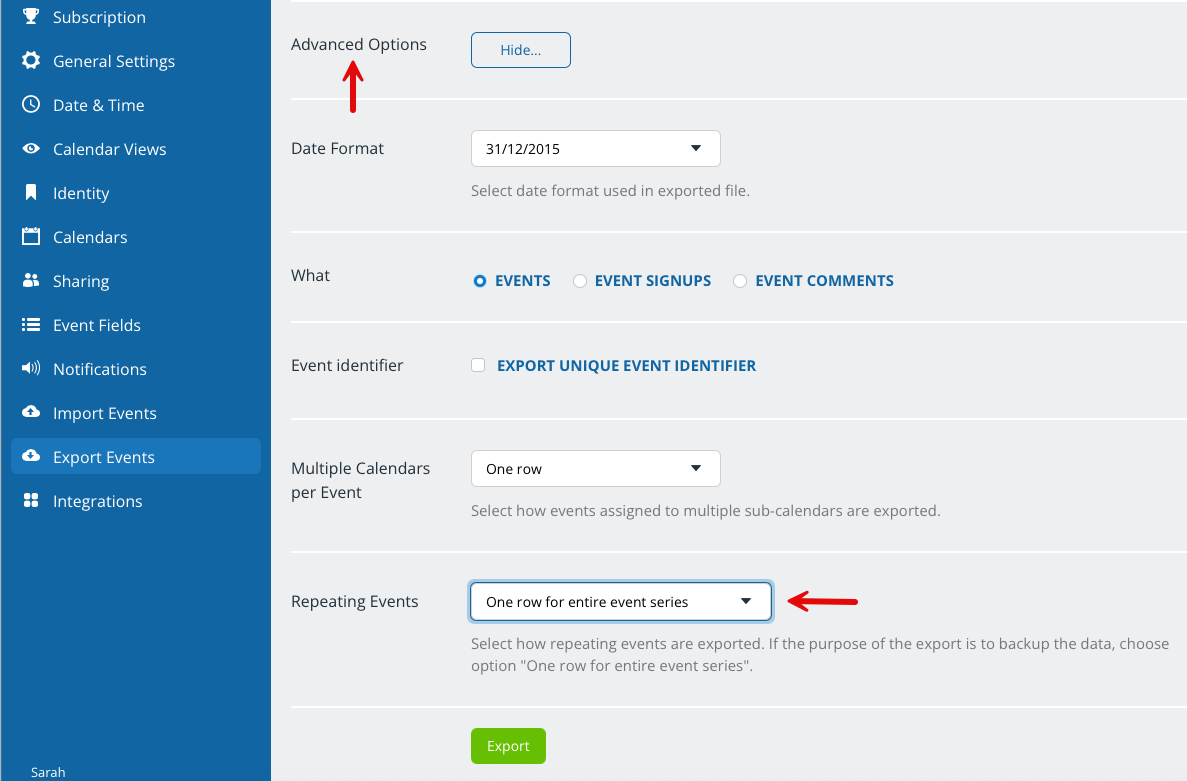
A user that has administrator access can go to Settings > Export and export the calendar data you wish to carry over to a csv file. Set the repeating event option to one row per series:
Duplicate the original calendar
Duplicate the current calendar to keep the same settings and structure.
Then import the csv file with repeating events into the new duplicate calendar.
Note: Imports cannot be undone. Feel free to create a test calendar by starting one of our Live Demo calendars to try the process beforehand.
duplicate, repeating, keep events, import, export, copy