
Teamup Ticker
How custom fields support a calendar structure
With Teamup, you can combine sub-calendars and custom fields for a clear, flexible, unique calendar structure that works the way you need it to.
For categories that need access control and prevention of double-booking, use sub-calendars.
Use custom fields for scheduling factors that need cross-category reach, such as project phases and task status. There are different field types and field contents can be shown in event titles.
Change the status without changing the category
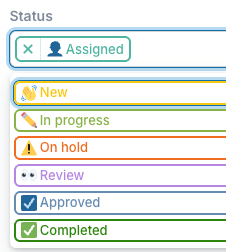
You can select the choice field option for an event no matter which sub-calendar category it’s in, or even if it’s assigned to multiple sub-calendars. And you can adjust which choice field option is selected as needed, without removing the event from its assigned sub-calendar(s).
This is great for details like task status or project phase: These “states” change regularly but do not necessarily change an event’s owner or parent category.
Label and track across categories
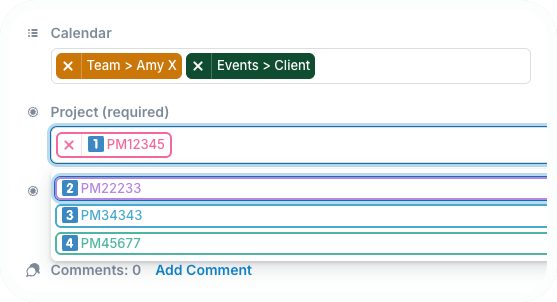
Choice fields are also great for characteristics that remain consistent even as an event’s category changes. For example, events might need to stay attached to the same Client Name or Project ID, even as they move from one team member to another.
Ensure consistent information capture
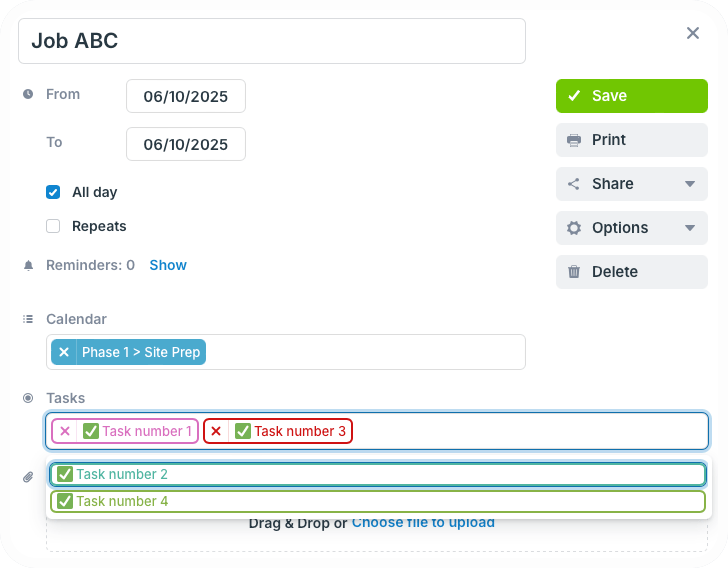
Choice fields have predetermined options, rather than manual text input. So if there’s something that needs to be noted in a consistent way, such as workflow steps or equipment type, choice field eliminates confusing entries that aren’t quite right. Instead of typing in the information, users simply choose from the options. And each choice field has a built-in filter for easily sorting events by one or more options. You can also make any custom field required to ensure it won’t be skipped.