
Teamup Ticker
Fine-tune information access on team calendars
Fri Dec 5, 2025
.Ticker > Learn / Blog / Knowledge Base
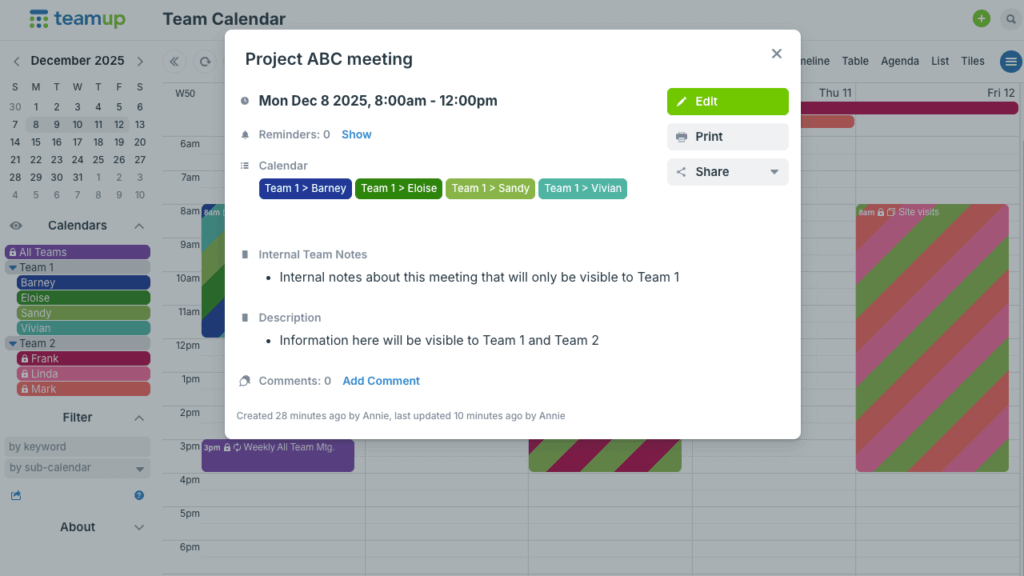
Whether you're managing a single large team with varying information needs, or supervising multiple teams on a shared calendar, you can use Teamup's built-in features to control who sees what.
Use two levers to control information visibility across teams:
(1) Visibility settings for each event field, and
(2) Permission level on calendar access.
If an event field is visible to modify users only, it will appear only for users who have modify access to that sub-calendar. Users with read-only access will not see that field.
With these two levels, you can:
- Keep sensitive notes inside a team while still sharing dates and times with other teams.
- Keep confidential client information contained within the team that needs to access it.
- Let managers see everything across teams for planning and reporting.
🔗 Learn more in our guide to managing cross-team visibility.
information visibility, event fields, team, access, permissions, security, data