
Teamup Ticker
Prevent changes to events once they are complete
Wed Dec 17, 2025
.Ticker > Tips / Support Nuggets
You may want to prevent further changes to events on your calendar at a certain point:
- After a supervisor signs off on a job, the event details (hours worked, notes, and attachments) should stay fixed for record-keeping or billing.
- In a volunteer or training workflow, once a shift is completed and verified, organizers may want team members to view their work but not change the record afterward.
You can achieve this by creating an additional sub-calendar that holds "locked" events so that users can no longer edit them.
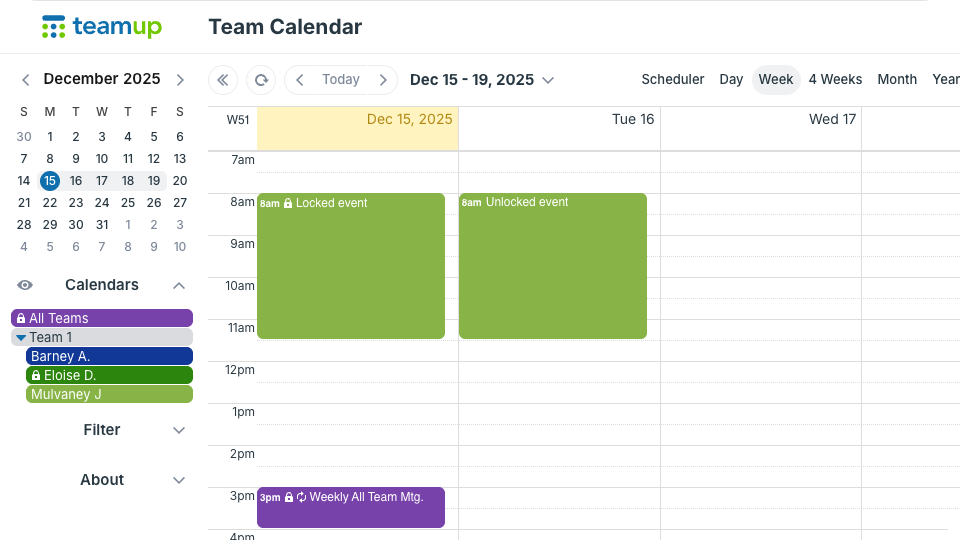
- Create a new sub-calendar and name it appropriately (e.g. Locked, Archived, Completed).
- Make sure that the users who should no longer make changes do not have access to the 'Locked' sub-calendar (or have read-only access).
- To lock an event, assign it to the 'Locked' sub-calendar in addition to its original sub-calendars. Users will still be able to view the original event via their own sub-calendar access but won't be able to edit that event any longer as they do not have permission to the locked sub-calendar.
lock events, prevent changes, read-only some events, archive events, user access