
Teamup Ticker
How to adjust the calendar resolution
Teamup supports a configurable calendar resolution for views with a time grid:
- Day view
- Week view
- Multi-day view
- Scheduler view
- Timeline view
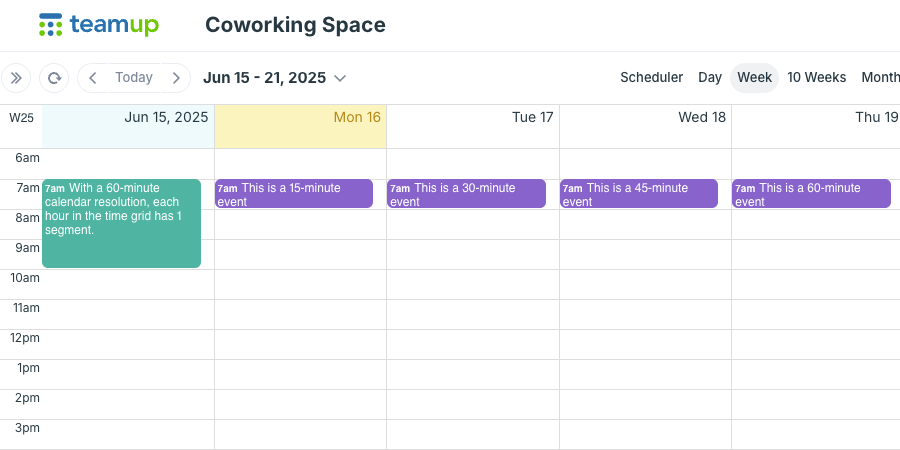
The calendar resolution determines how each hour in the time grid is segmented: In increments of 5 minutes, 10 minutes, 15 minutes, 30 minutes, or 60 minutes.
Using smaller increments will create more calendar "space" for each day.
Calendar resolution of 60 minutes:
Calendar resolution of 5 minutes: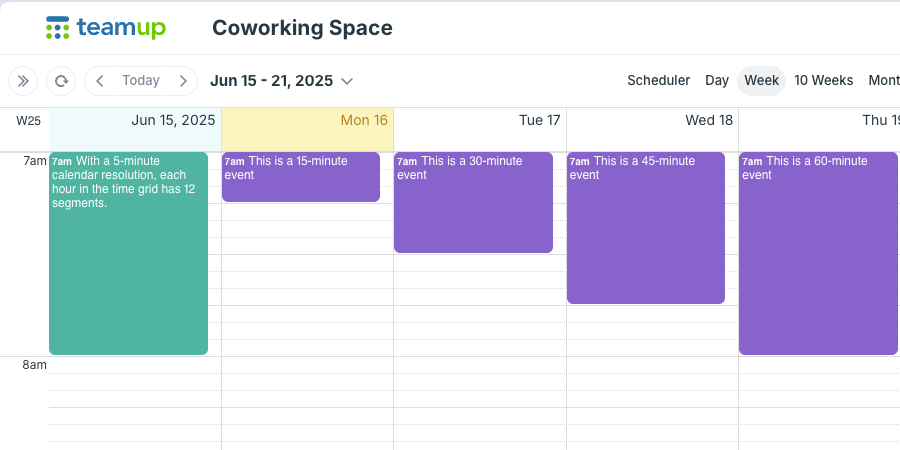
Any calendar user can adjust the resolution while using the grid views. The resolution you set in this way will only apply for the current browser session. When you open the calendar in a new browser session, the calendar will return to the default time resolution.
For Day, Week, and Multi-day, the resolution is adjusted from the menu:
- Open Teamup in a browser.
- Click the blue menu button in the top right and select Calendar Resolution.
- Choose the preferred resolution, from 5 minutes to 60 minutes.
For Scheduler and Timeline, the resolution is adjusted with the calendar view controls.