
Teamup Ticker
Schedule a repeating event only on weekdays
You may be scheduling an event that should continue over multiple days or weeks, but only occur on weekdays. Or it may be that the event should only occur on certain weekdays, such as every Tuesday and Thursday
It's easy to set that up with Teamup's recurring event options:
- Create or open the event.
- In the Repeats menu, select the Weekly tab.
- Set the remaining options as needed (examples below).
- Click the green Done button, then Save the event.
On the Teamup app, you can set up the same repeating sequence: Just choose Repeats Weekly, then select the weekdays and set the ending date.
Repeat an event every weekday
To create an event that repeats every weekday, in the Weekly tab select each weekday as shown here:
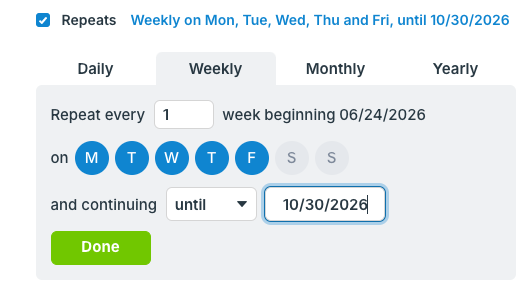
Set the end point for the recurring event: Until a certain date, for a certain amount of occurrences, or forever. Click Done, then Save the event.
Repeat an event on selected weekdays
To create a recurring event that repeats on selected weekdays only, go to the Weekly tab and select the weekdays as desired:
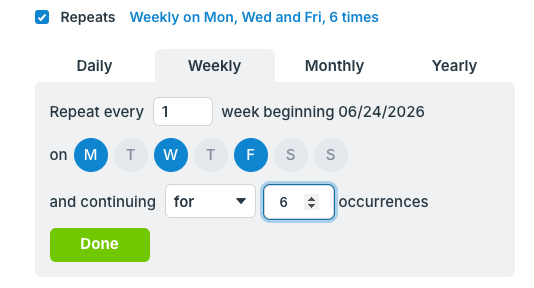
Then set the end point, click Done, and Save the event.