
Teamup Ticker
Automatically prevent double-booking of equipment
When you're using Teamup for booking (shared spaces, resources, equipment, so on), you can use custom fields or sub-calendars to track what is being booked.
For example, for a list of equipment in multiple quantities:
With custom choice fields, you can create a prefilled option to represent each piece of equipment. Then that option can be selected in the event when it's being booked for use. However, using custom fields does not provide a way to prevent double-booking.
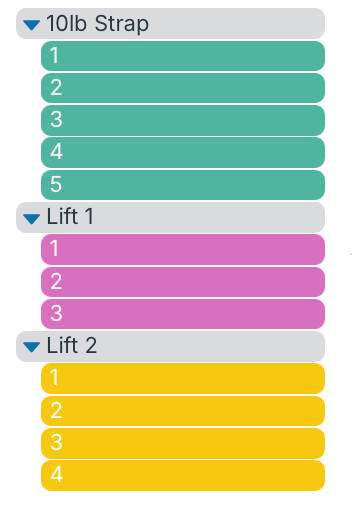
With sub-calendars, you can create sub-calendars for equipment and set these calendars to automatically prevent overlapping events. Each piece of equipment must have its own sub-calendar, which can be organized in folders:
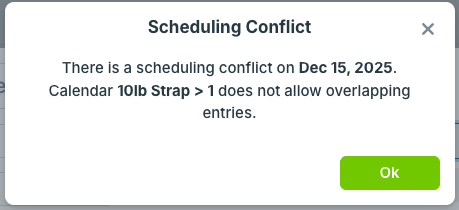
To book equipment: A user creates an event and assigns the event to the appropriate sub-calendar(s) to book that equipment for use. If someone else tries to book the same piece of equipment at the same time, the calendar will automatically prevent it:
See more about avoiding resource conflicts.