
Teamup Ticker
▶️ How to Use Event Comments (all users)
Wed Mar 18, 2026
.Ticker > Interactive Demos
Interactive Demo: How to Use Event Comments
Access level required: All users
If the administrator has enabled comments for all users, any user will be able to leave a comment and view comments left by others.
- Open Teamup in a browser.
- Click an event to view it.
- Scroll to the Comments field.
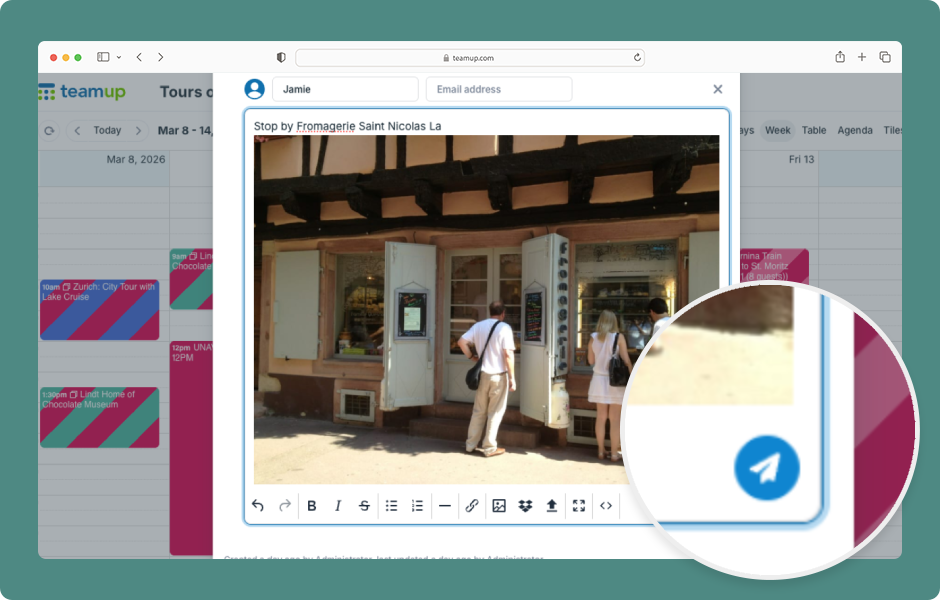
- Click Add Comment.
- Click into the Comment field and type in text.
- Use the toolbar to format text.
- To upload an image or file, click the Upload button.
- You can also link to a file or insert a file from Dropbox.
- When ready, click the blue Send button.
- Hover over a timestamp to see the exact date/time a comment was made.
- If comments are enabled for all users, they will also be shown on read-only views and event pages.
- People with the event page link can view and add comments, even if they do not have calendar access.
ℹ️ Learn more
demo, event comments, how to use, working with events, comment