
Teamup Ticker
How to change the time range shown on calendar views
Certain Teamup calendar views (Day, Week, etc.) show events on a time grid.
The calendar administrator can adjust the hours that are shown on the time grid. This helps make calendar space more efficient. Instead of having "empty hours" on the time grid, adjust the time range to what you actually use.
How to adjust the time range
The time range determines the hours shown in the time grid.
The calendar administrator can set the time range in Settings > Date & Time:
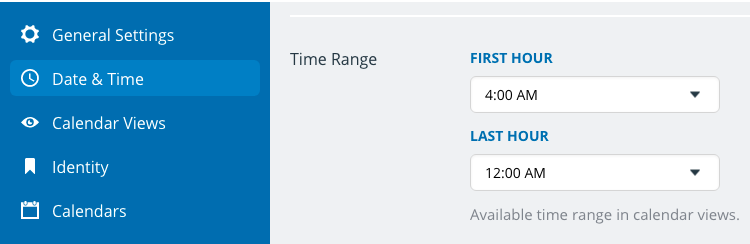
Note that the limiting the visible time range does not prevent you from scheduling events outside of these hours. If there are exceptions to the norm, such as an after-hours workplace gathering or special event, you can still add it to the calendar.
You can also adjust the default event duration and show or hide the current time indicator.