
Teamup Ticker
Two key advantages of sub-calendars
With Teamup, you can combine sub-calendars and custom fields for a clear, flexible, unique calendar structure that works the way you need it to.
Here are two advantages of sub-calendars to consider when deciding how to set up your calendar.
Control access for each user
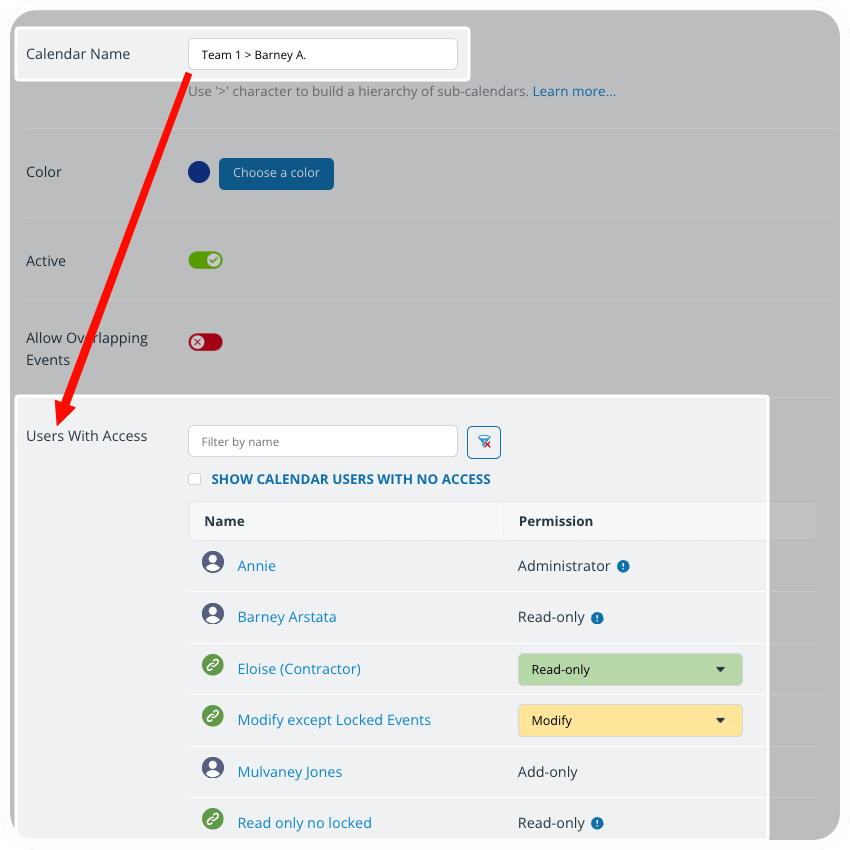
Access control is built into sub-calendars. When adding a user, you’ll choose which sub-calendars they can access and the permission level assigned. When you want to limit visibility for a category according to each individual’s role, a sub-calendar is the right choice. For example, to set up a shift calendar where each staff member sees only their own assigned shifts, you’d create one sub-calendar for each staff member. Then you can give each staff member access to only their own sub-calendar.
Prevent double-booking automatically
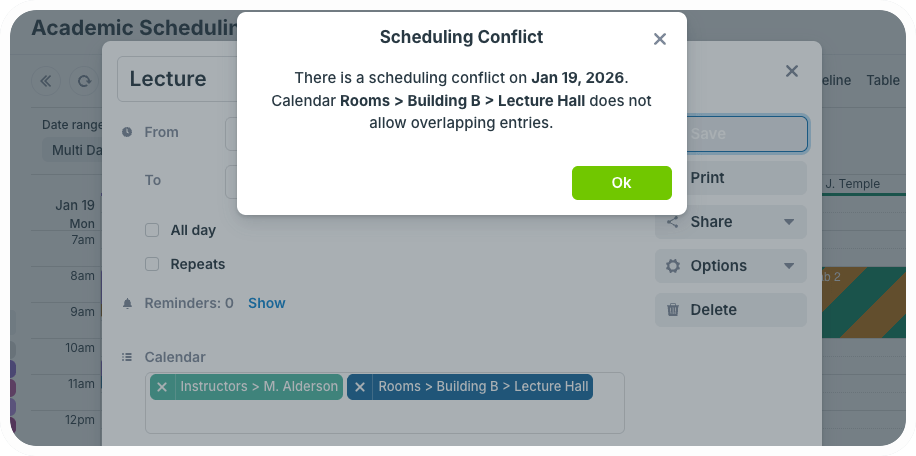
Ideally, a calendar helps you prevent scheduling conflicts before they happen. Sub-calendars have a setting that automatically prevents overlapping events. When you’re managing availability for shared spaces or resources, you’ll want to use this feature to keep conflicting reservations from ever happening. It’s also perfect in situations where you want to avoid people. No more missed conflicts that cause problems later