
Teamup Ticker
Find a sub-calendar ID for integrations
Tue Aug 18, 2026
.Ticker > Tips / Support Nuggets
If you're setting up an integration with Teamup, you may be asked for a sub-calendar ID. Here's how to find it.
Each sub-calendar has a unique identifying number.
Here is one way to find the ID of a sub-calendar:
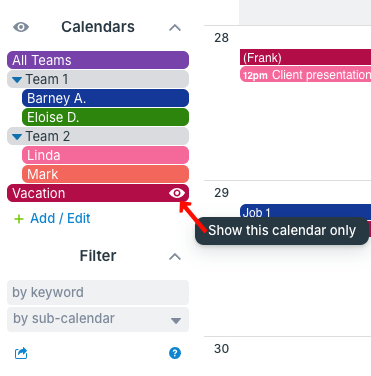
- Toggle sub-calendars so only the relevant sub-calendar is displayed.
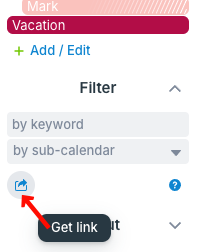
- Click the Get link icon just below the filters.
3. A Filtered View box will open with a customized calendar URL. Scroll through the URL to find the calendars= value. The number is the calendar ID:
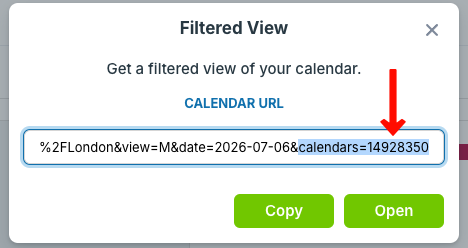
So in this example, the Vacation sub-calendar has the sub-calendar ID 14928350.
filter, sub-calendar, calendar ID, sub-calendar ID, filtered view, calendar number