
Teamup Ticker
How to connect one event to multiple people or resources
Fri Jul 31, 2026
.Ticker > Tips / Support Nuggets
With Teamup Calendar, you can assign one event to multiple calendars.
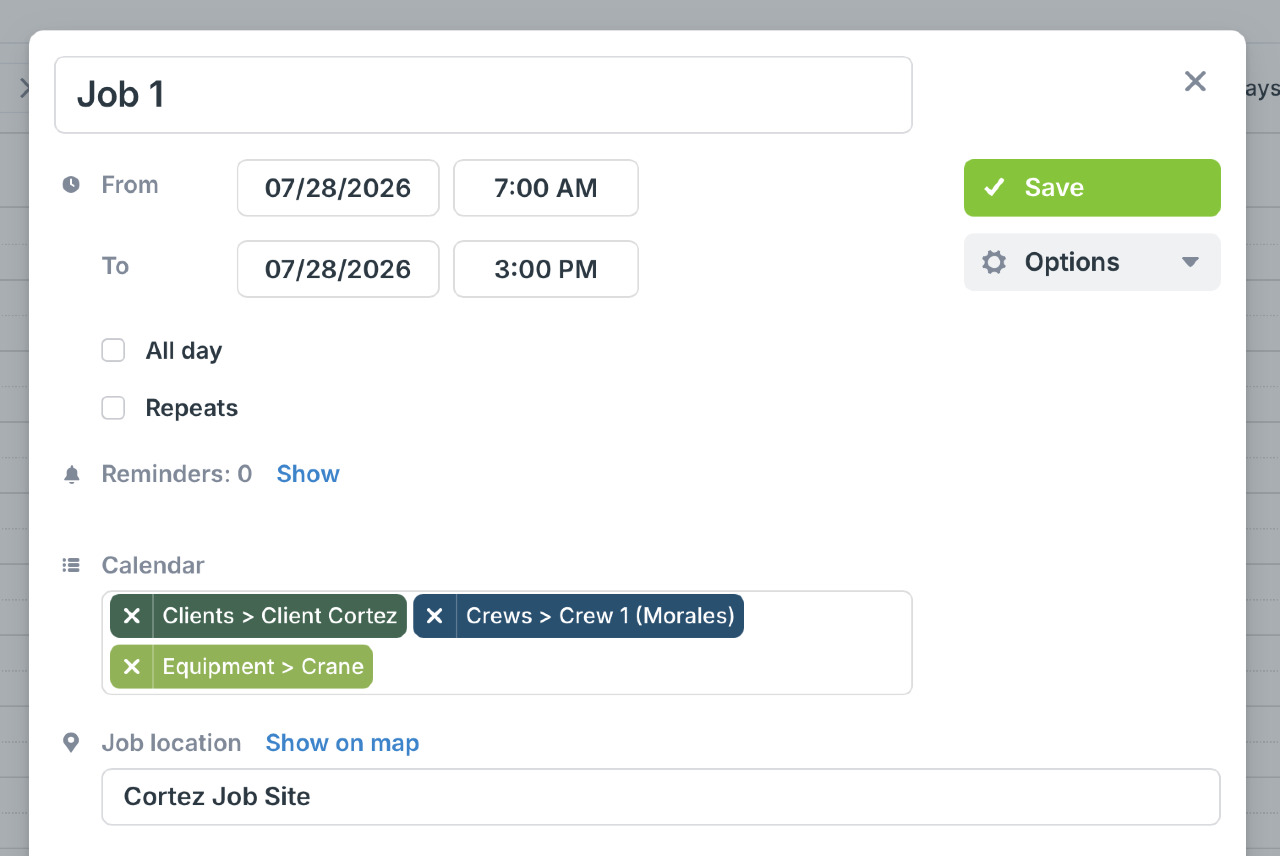
Instead of creating duplicate events for every person, team, or resource involved, assign a single event to multiple calendars. Update the event once, and everyone sees the latest date, time, details, attachments, and changes on their own calendar.
This works well for:
- Staff assigned to a project or shift.
- Jobs that require a driver and a vehicle.
- Events that need a room, equipment, and personnel.
- Training sessions shared across departments.
- Client meetings involving multiple internal teams.
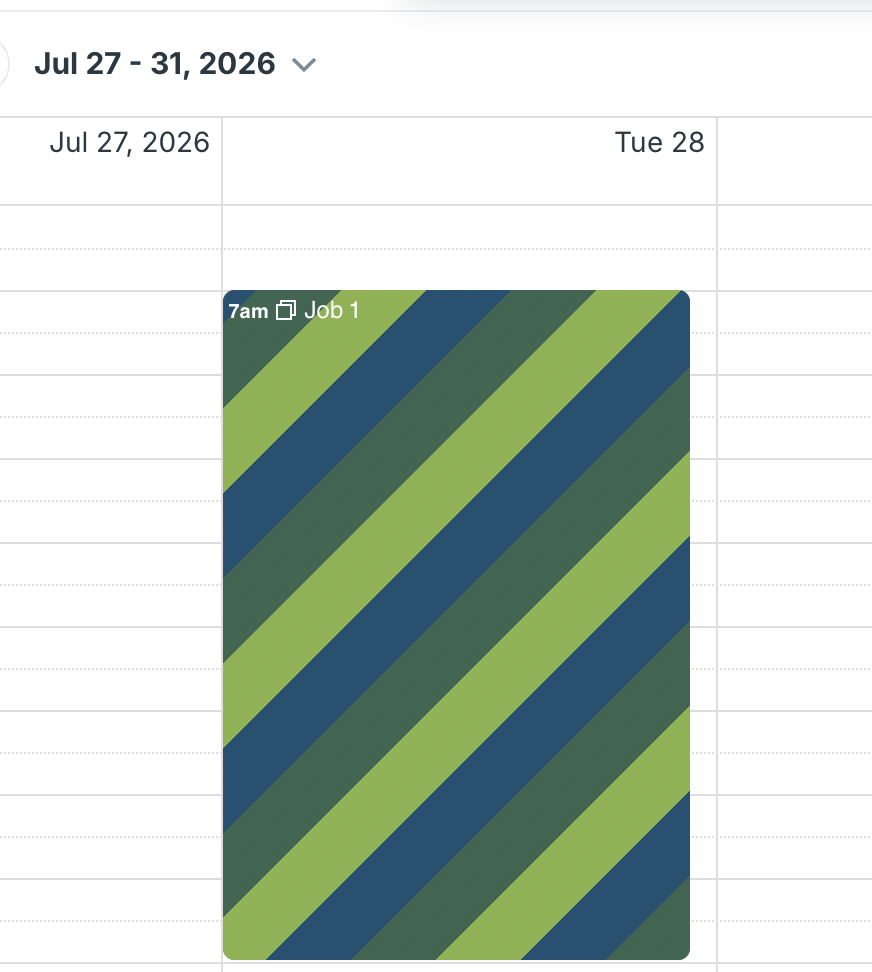
You can also choose how multi-calendar events appear. Display them with striping to show all assigned calendars in a single event:
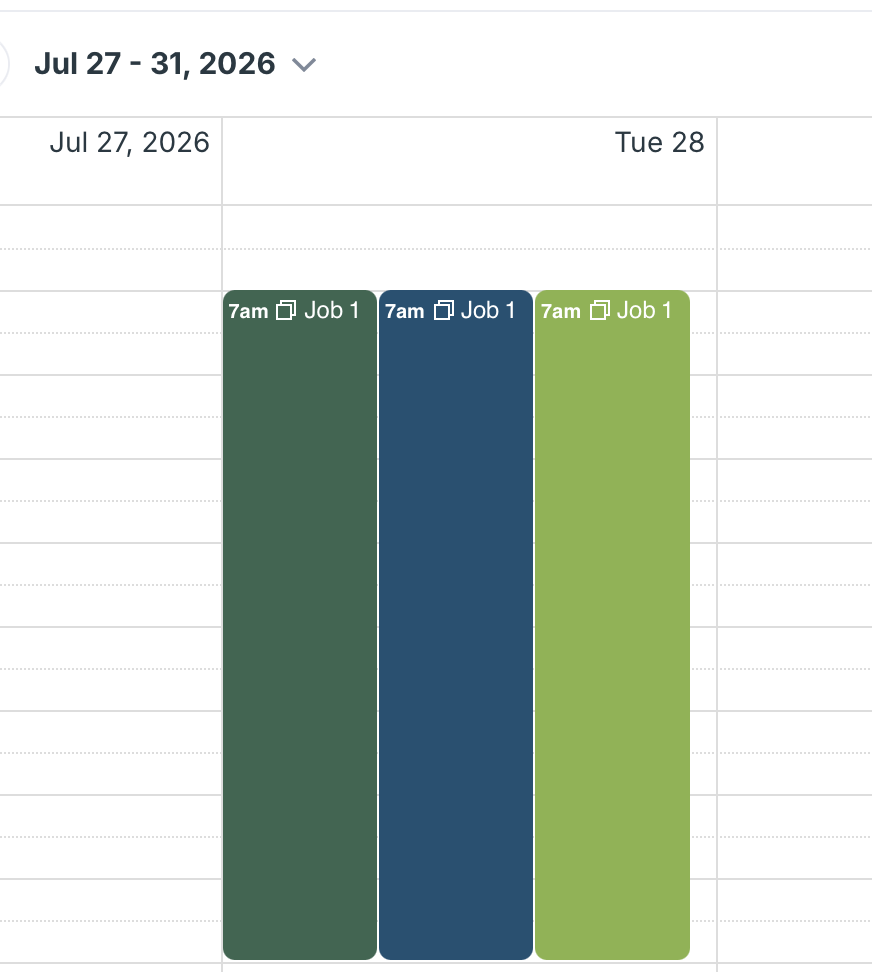
Or use multiple boxes to keep each calendar visually separate while still managing just one event:
The calendar administrator can enable the one-to-many feature and set the display to striping or boxes in the calendar setting: Details here.
multiple, events, working with events, striping, colors, one to many