
Teamup Ticker
What happens when a calendar's subscription is changed?
Plans differ mainly in how many sub-calendars and users a calendar can have. Other important differences include additional custom fields, historical data limits, inbound feed refresh rates and the Daily Agenda feature.
What happens when I change the subscription?
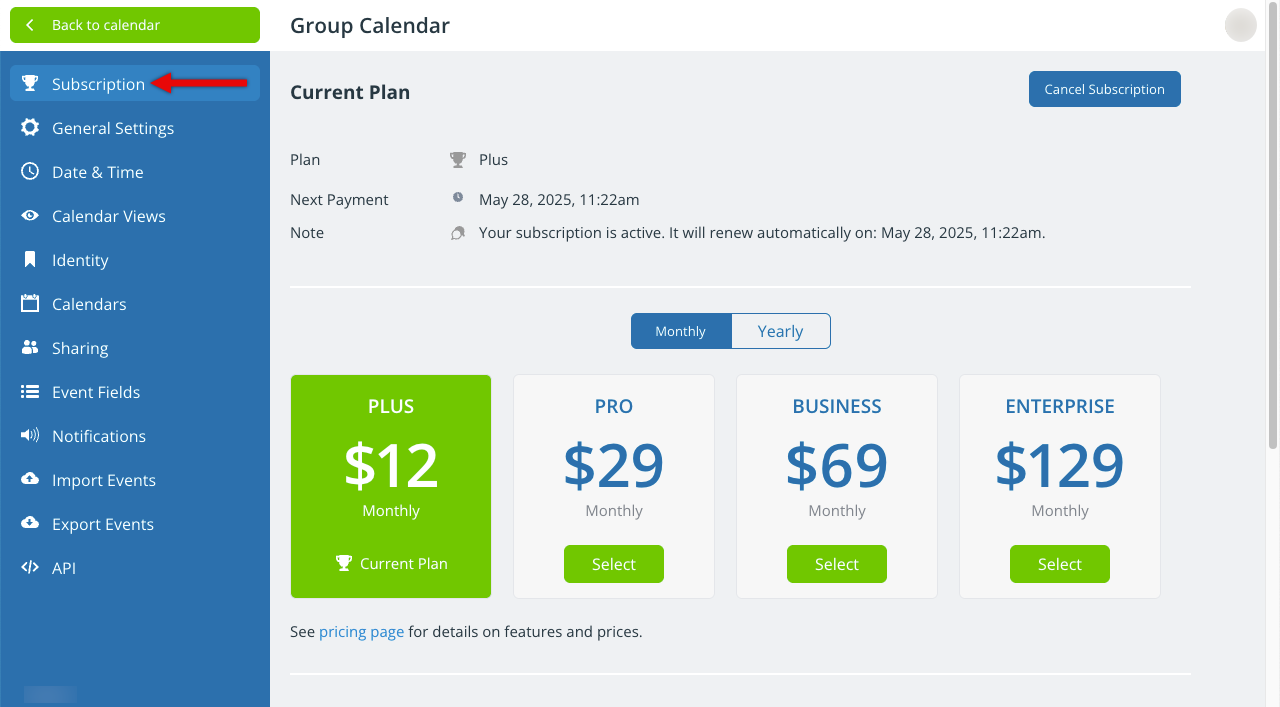
Changing the subscription of a calendar doesn’t change the calendar itself: the data, settings, and users will stay the same.
If you’ve been using Teamup on the free plan, you don’t have to start over with a new calendar; just upgrade the calendar to the paid plan you need.
If you've been using Teamup on a paid plan, you can downgrade the calendar to a lower tier or to the free plan.
Upgrading
When you upgrade a calendar's subscription, the additional features and higher limits of the upgraded plan will become available for the calendar.
The features of the upgraded plan are available immediately, as soon as payment is successfully processed.
Go to the calendar's settings to
- Add more users
- Create more sub-calendars
- Add more custom fields
- Access more historical data
- Set iCalendar feeds to a faster refresh rate
All up to the limits of the new, upgraded plan.
Downgrading
You can downgrade a calendar subscription from a higher paid plan to a lower paid plan, or from a paid plan to the free plan. When you downgrade, the limitations of the downgraded plan will be applied to the calendar.
The limitations of the downgraded plan will apply at the end of the current billing cycle.
For example, if your monthly paid plan renewed on August 10, and on August 15 you downgrade to free, you will be able to access the paid plan features until September 10 (the end of the monthly billing cycle).
At the end of the current billing cycle, your calendar will be downgraded and those limits will apply:
-
- Data older than the historical data limit will no longer be accessible.
- Sub-calendars, users, and custom fields over the plan limits will be deactivated.
- Other features (Daily Agenda, faster iCal refresh rates, etc.) will no longer be accessible.