
Teamup Ticker
How to check your calendar's subscription
Tue Apr 14, 2026
.Ticker > Tips / Support Nuggets
Teamup’s subscription plans are calendar-based: Each subscription plan is bound to a specific master calendar.
A calendar administrator can check the subscription information for a calendar in that calendar's settings. You'll need to do this on a browser (the full settings are not available in the Teamup app).
View a calendar's subscription information:
- Open the calendar in a browser.
- Go to the blue menu (top right).
- Select Settings.
- Select Subscription.
Note that the Subscription information in a calendar's settings applies only to that specific calendar.
What you'll see:
- Current plan: You will see information about the current subscription plan including the plan name, the new payment date, and any notes about the current subscription.
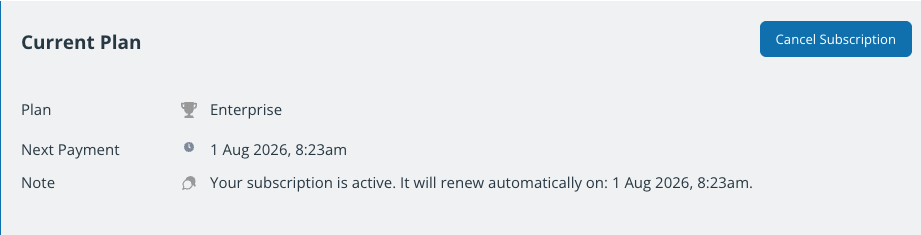
- Billing history: If the calendar is on a paid plan, there will be invoices available in the Invoices section. You can click to open a PDF of any invoice.
- Billing contact and payment method: You can change or update the billing contact information and add or change the payment method.
- Subscription management options: To cancel a paid subscription, click the blue Cancel Subscription button in the top right. To change a subscription, click the green Select button for the plan you want.
subscription, plan, payment, billing, paid, calendar, upgrade, cancel, downgrade, subscribe, invoices