
Teamup Ticker
How to send event confirmation emails
Mon Aug 10, 2026
.Ticker > Tips / Support Nuggets
Want to share event confirmation with participants? Here are ways you can do so with Teamup:
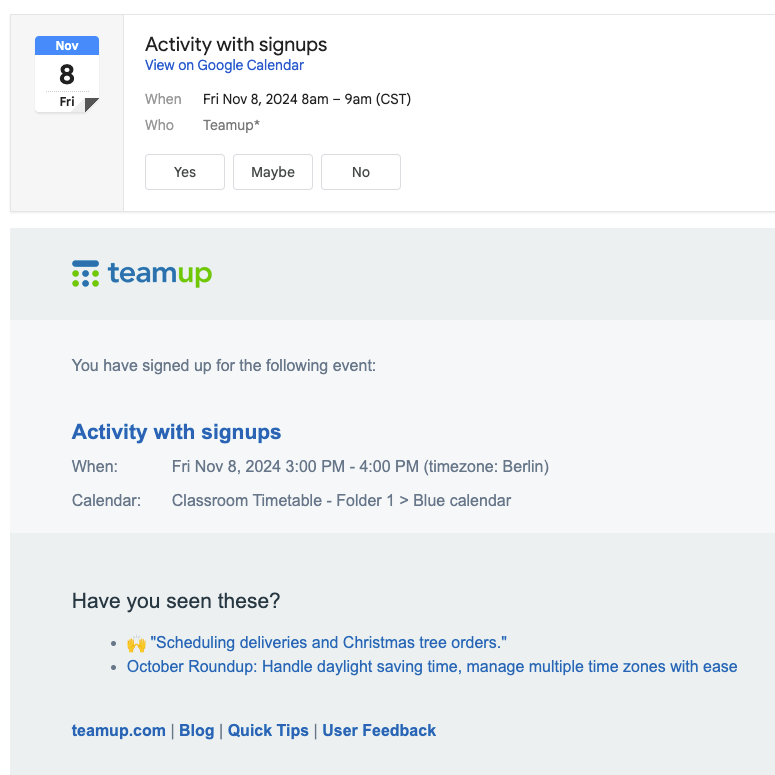
- If a user signs up for an event, they will receive a confirmation email after signing up that will have an attached iCalendar file. See more: Email Confirmation for Event Signups.
- Share an event page with an individual or with groups to provide all the event details in one place. Event pages stay synced with any changes made to the event.
- Set up a Zapier integration with an email app, eg Email by Zapier. You could set the trigger to be a new or updated event in Teamup, which then sends an email as the action. To make this work, you will need a (required) field in your Teamup Calendar to hold the recipient's email address. You can use a custom event field for this purpose. Map that field to the 'Recipient' when setting up your email settings. See more on Teamup Integrations Powered by Zapier.
- Set up daily agenda subscriptions. The daily agenda is an email notification that displays all events for the upcoming one to three days. You can use the daily agenda as an automated event list, delivered to each subscriber’s inbox.
- For team members/internal staff: Create a sub-calendar for each person and add each person as a calendar user. Each person can set up change notifications and receive emailed event reminders for their own dedicated sub-calendar.
event confirmation, email, notification, participate, attendees, users