
Teamup Ticker
Prevent event changes or deletions for a certain timeframe
Tue 6 Jan 2026
.Ticker > Tips / Support Nuggets
Do you want to prevent changes or deletions to events after a certain amount of time?
For example, perhaps you allow users to self-book rooms or schedule meetings and events on a shared calendar, so they have modify access in order to add and adjust the bookings or events as needed.
You may want to prevent changes or deletions to events at certain times, perhaps within 24 hours of the event time.
It's not possible to do this in an automated way, but you can use this manual workaround to allow users to have modifying abilities on events up to a certain point.
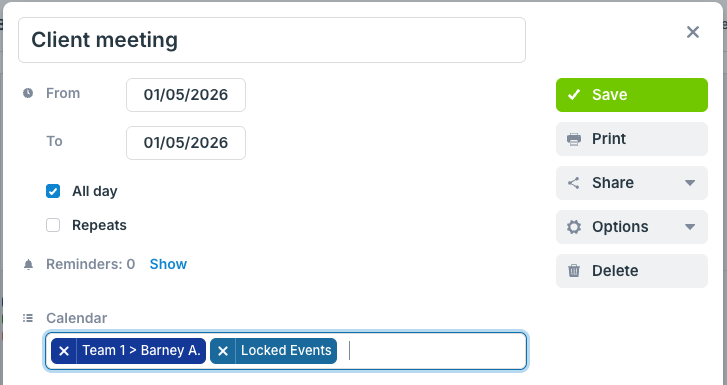
- Create an additional "Locked Events" sub-calendar to hold events that should no longer be modified by users.
- Give all users read-only access to the Locked Events sub-calendar. This will allow them to view but not modify or remove the events assigned to it.
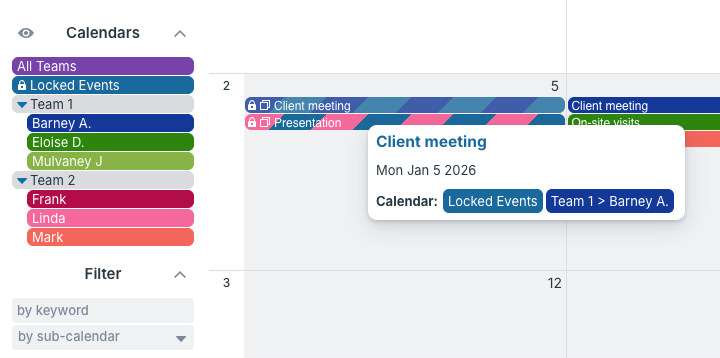
- When events reach the designated "non-editable" time frame, assign them to that Locked Events sub-calendar. You can leave them assigned to the original sub-calendar too. See here for assigning events to multiple sub-calendars.
- If you have many events to move, it might be easier to drag them to Locked Events sub-calendar using the Scheduler view as demonstrated here.
- Your users will be able to view but not remove or modify the events assigned to the Locked Events sub-calendar.
changes, modify, read only, view, sub-calendars, events, booking, users, permissions, one to many