
Teamup Ticker
How to add a clickable email link to an event
Tue Feb 10, 2026
.Ticker > Tips / Support Nuggets
You can insert a link into any text-entry event field of a calendar event:
- The Description field.
- A default text event field like Who or Where.
- A custom single-line text field or formatted text field.
- Event comments.
You can add a clickable email link in the same way:
- Simply type the email address into a text field followed by a space or line break. Teamup recognizes the format as an email address and makes it a clickable email link.
- Or, enter any text, select it, click the link button and enter mailto:bob@teamup.com in the URL field (replacing the example email address with the one you wish to use).
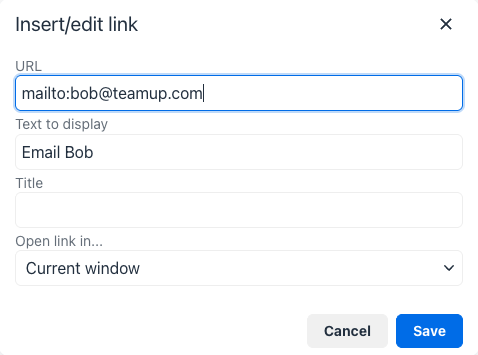
This will make your selected text a clickable email link.
email, links, clickable, text field