
Teamup Ticker
How to duplicate a calendar to use as a template
When a Teamup Calendar works well for one team or project, a similar setup can work well for another team or project. You can duplicate a Teamup master calendar to use as a template when setting up a new calendar.
The calendar duplication feature
The calendar duplication feature allows you to “copy” the basic structure of an entire Teamup Calendar: the sub-calendar structure and basic configuration. Then you can adapt the duplicated calendar for your own use. Duplicating a calendar that’s already set up makes getting started with Teamup event faster and easier.
How to duplicate a Teamup Calendar
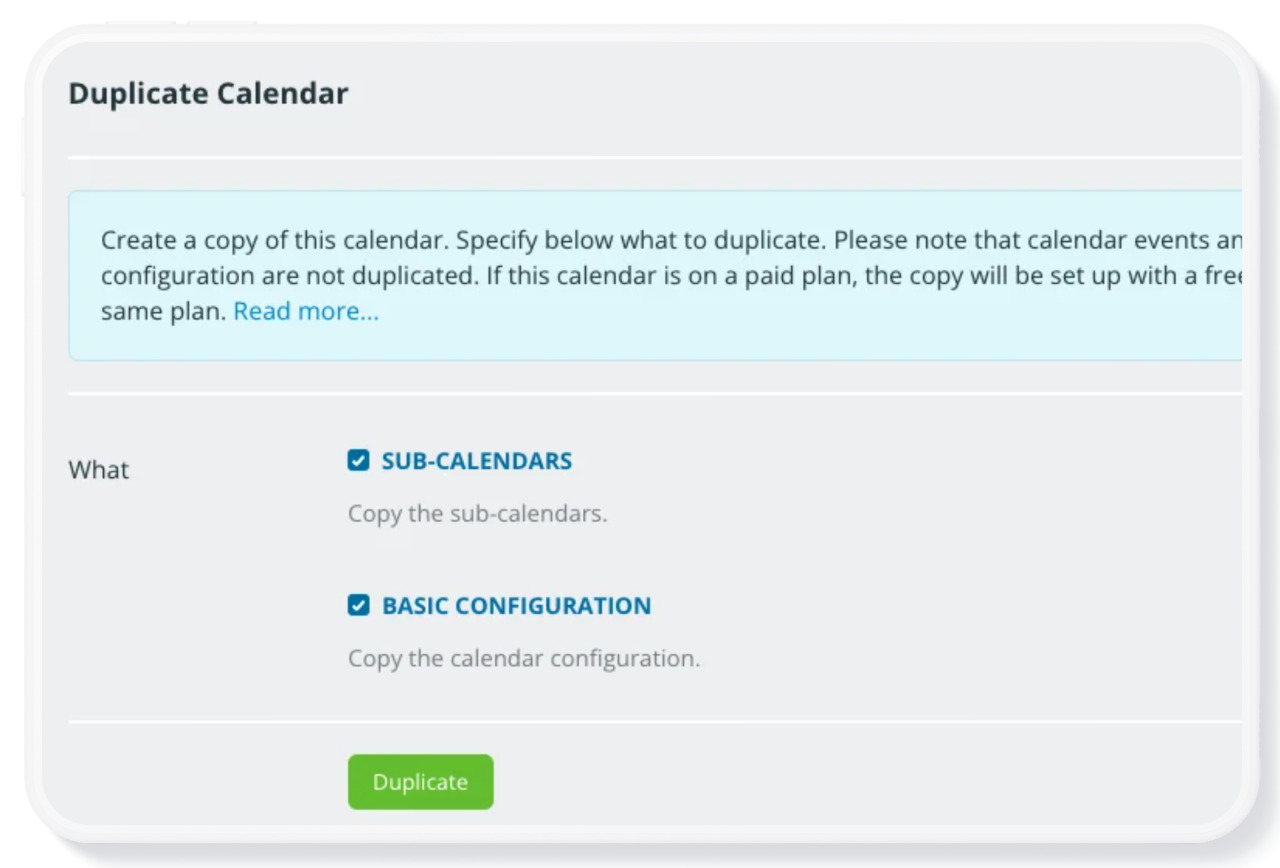
There are two ways to duplicate a calendar setup for a new calendar. Only the calendar administrator can duplicate a calendar or create a Template link.
To ensure data protection, note that events and sharing settings will not be duplicated.
Duplicate a calendar for your own use
- Go to Settings > General Settings.
- Scroll down to the bottom of the General Settings dialog to the Duplicate Calendar section.
- Click the Duplicate button.
- On the next screen, check the options you want to duplicate from the source calendar. See additional details.
Create a Template link to share
- In the source calendar, go to Settings > Sharing.
- Click the Create Link button.
- On the following dialog, name the link Template.
- Scroll down to the Calendars Shared section and ensure that the Read-only permission is applied to All calendars.
- Save the link.
Follow these steps to use the Template link to create a new calendar with the same sub-calendar structure and configuration as the source calendar.