
Teamup Ticker
Keep iCalendar feeds secure
An iCalendar feed, often also called ics feed, is a calendar format which allows you to share calendar data from one calendar service to another calendar service.
With an ics feed, you can display Teamup Calendar events in Apple iCal, Google Calendar, Outlook or any other calendar applications that supports iCalendar feeds.
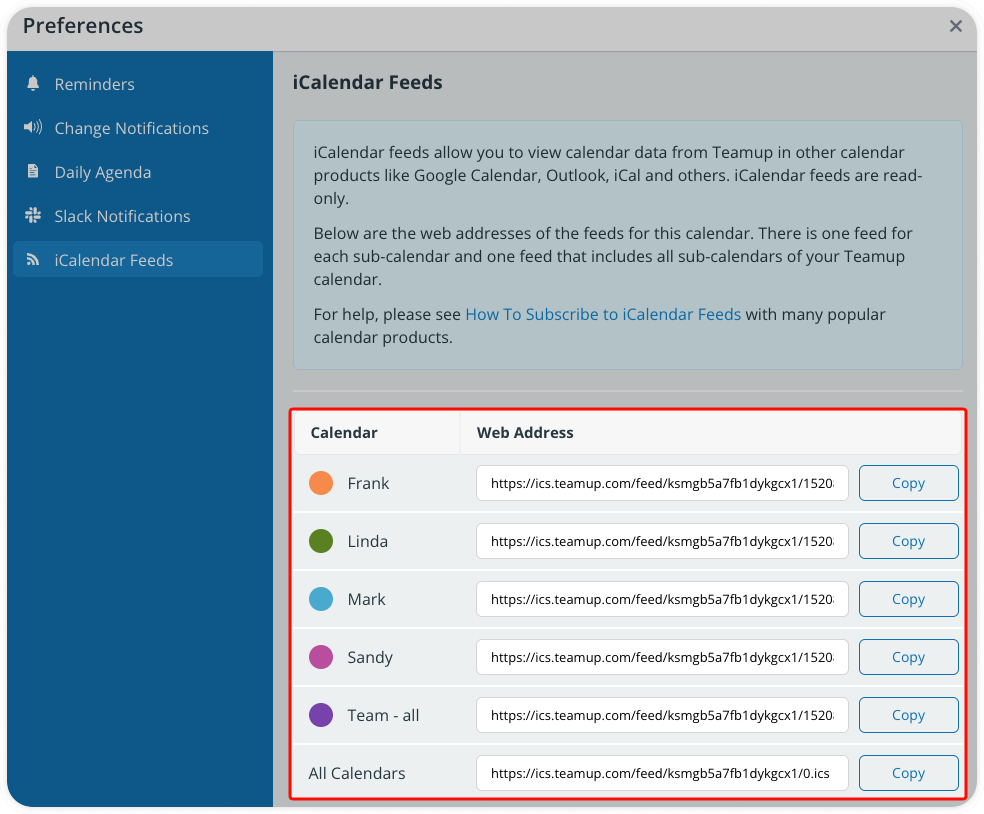
If you have shared ics feeds with others, it's important to periodically review the feeds to keep your calendar data secure.
Every iCalendar feed contains a link back to the source calendar, which is necessary in order for the feed to receive data from the source calendar. In order to protect unauthorized access to or use of calendar data, iCalendar feeds should be set up from a secure, read-only link (for use by external stakeholders without calendar access) or from individual user access (for use by internal team members with calendar access).
If you're not sure that iCalendar feeds have been set up with the correct (limited) access, you can
- Change any calendar link(s) used to provide iCalendar feed URLs to read-only access to protect your calendar data going forward.
- Or, delete any calendar link(s) used to provide iCalendar feed URLs. If a calendar link is deleted, all iCalendar feed URLs associated with that calendar link will stop working. However, data shared in the past cannot be taken back.
- Or reset all iCalendar feeds at one time. This is helpful if you wish to tighten up calendar security, after major organizational change, etc. See how to reset all outbound iCalendar feeds.
To set up new iCalendar feeds, follow these guidelines for calendar security:
- Calendar users who wish to set up an iCal feed for their own use should do so from their own calendar access: They should log into their Teamup account on a browser, then get the iCalendar feed URL following these steps. This ensures that each calendar user has iCalendar feed(s) with appropriate access.
- To set up an iCalendar feed for individuals who do not have calendar access: Create a read-only link that includes only the selected sub-calendars you wish to include in the feed. Open the calendar using that link. Then obtain the iCalendar feed URL by following these steps. This ensure that the individuals have appropriate limited access to only view the calendar data you wish to share in the feed.
🔗 See more on managing iCalendar feeds
🔗 More on calendar security in general: How to Set Up Your Calendar Securely