
Teamup Ticker
Ways to transfer events to a new project or schedule
Wed 14 Jan 2026
.Ticker > Tips / Support Nuggets
If you want to use your prior calendar events in a new schedule or project, here are options for transferring the data:
If transferring from a different calendar:
- Export the data from the previous calendar, then import it into the new calendar.
- Here's a guide for importing data from one Teamup calendar to another.
- You can edit the start dates of the events in the CSV file before importing to shift them from prior year dates to new year dates.
If setting up a new schedule or project in the same calendar:
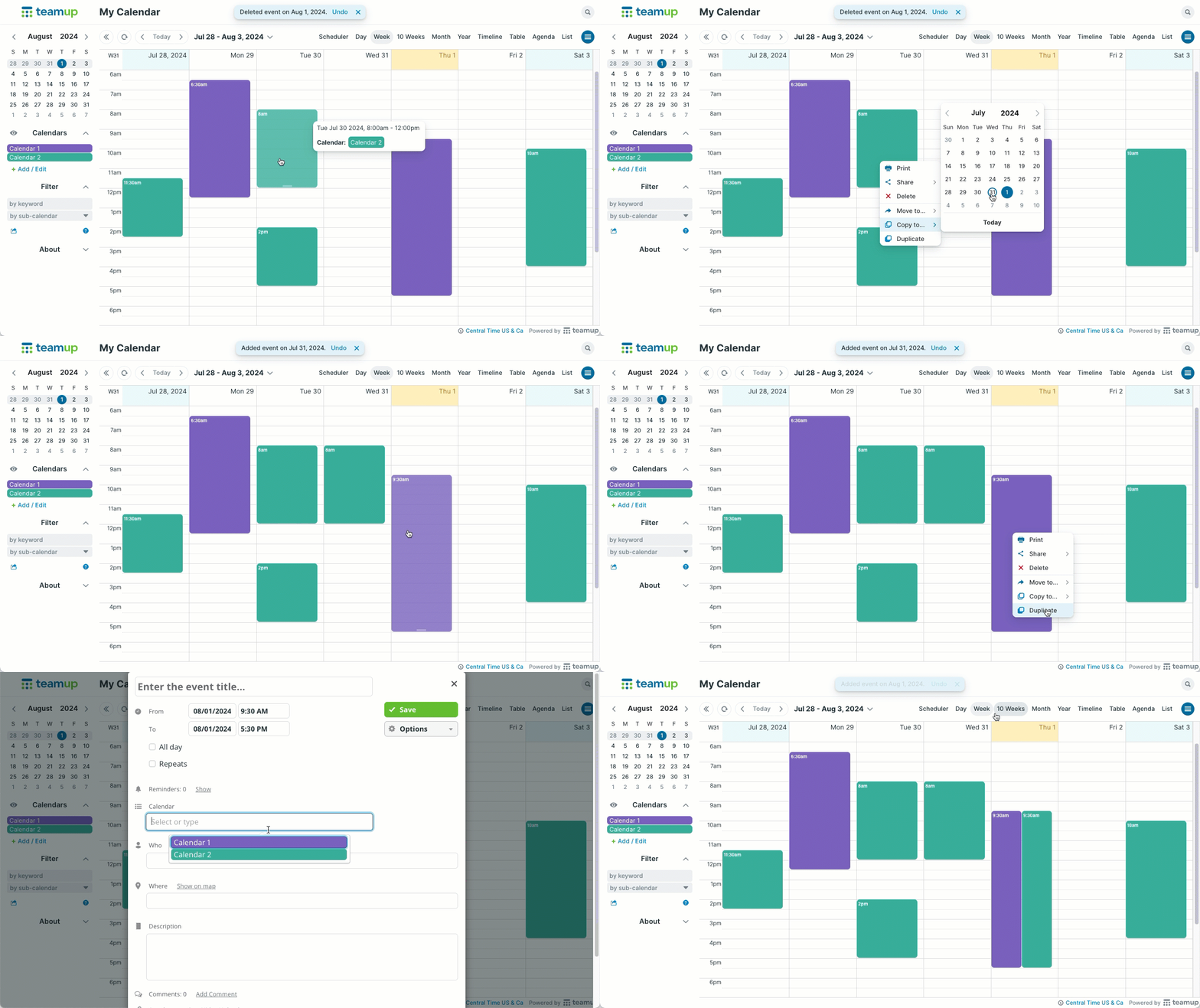
- Duplicate or copy individual events to new dates and/or new sub-calendars. This would leave a copy of the events on their original dates/sub-calendars.
- Drag and drop individual events from their original dates and/or sub-calendars.
- Use Year view or Multi-week view to see a larger date range (e.g. if you want to drag an event from June of last year to June of the new year, you could use Year view with 12 months visible, showing June 2025-June 2026; drag the June 2025 events to the date you want in June 2026.
- Use Scheduler view to move events to a different sub-calendar.
- Edit individual events to repeat for as many dates as needed.
move data, move events, transfer, duplicate, copy, repeat