
Teamup Ticker
Scan event details quickly in Table view
Fri Jul 10, 2026
.Ticker > Tips / Support Nuggets
Table view is a unique and powerful view that lets you view and sort your calendar data in a spreadsheet-like format.
- Each event field is shown in its own column (including custom fields) and each event in its own row.
- Like all the other calendar views, events can be filtered and sorted by various criteria.
- You can choose to show or hide columns in Table view so that you only see exactly what you need to see.
- You can also adjust options such as content wrapping and sort events by one or more columns.
Using Table view, it's easy to quickly scan multiple events over your selected date range to see various details, such as
- Which events have files in the Attachments field
- Which events have signups
- Which events have data in a particular event field
- Which events have been updated
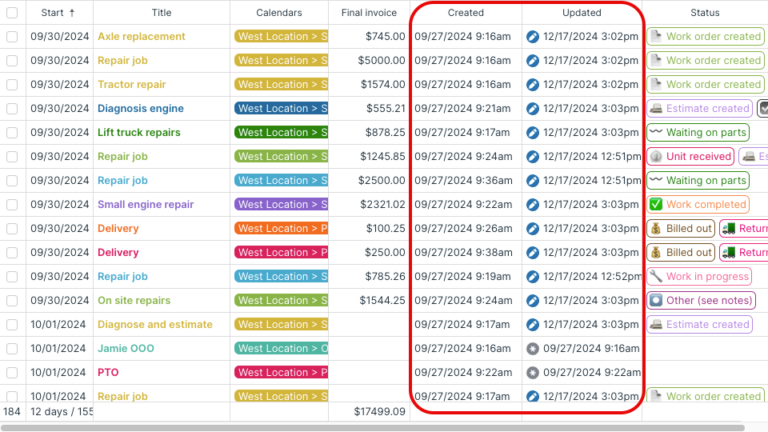
table view, calendar views, layout, spreadsheet, data, event details